Free software for CNC hot-wire cutters

From wings to complex shapes – everything in one software

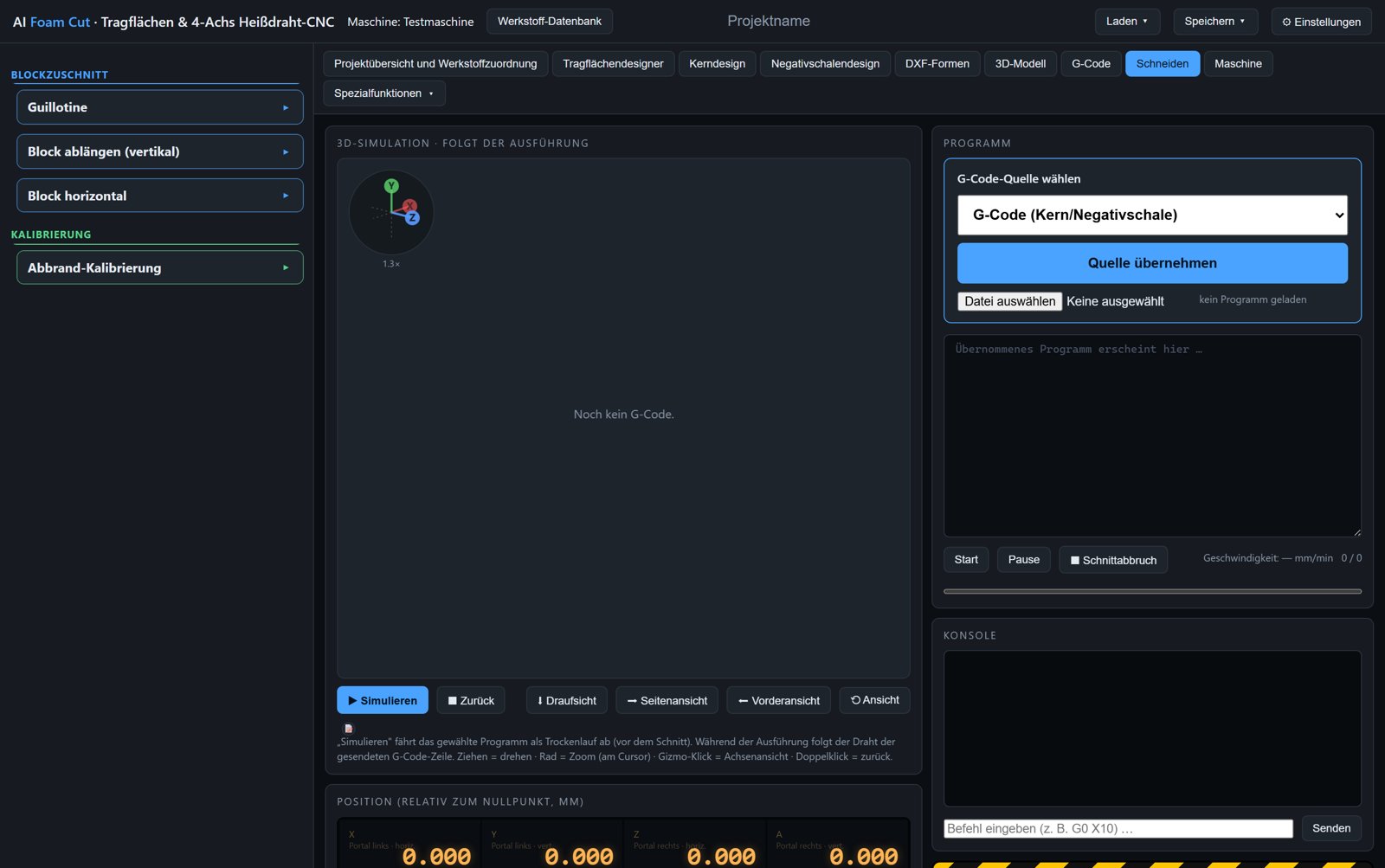
AI Foam Cut covers the whole chain: design the wing, derive a core or negative shell, compensate for kerf and sheeting, generate G-code, simulate it in 3D and send it to the machine straight from the program. The machine control is compatible with grblHAL and GRBL HotWire Mega 5X – matching information and firmware for the boards are available from RC Keith.

The program is open source and free of charge – released under the GNU General Public License 3.0. No licence keys, no trial periods, no features behind a paywall, no telemetry. Take the ready-made build for Windows, Linux or macOS, or the source code if you would rather look inside and build it yourself.

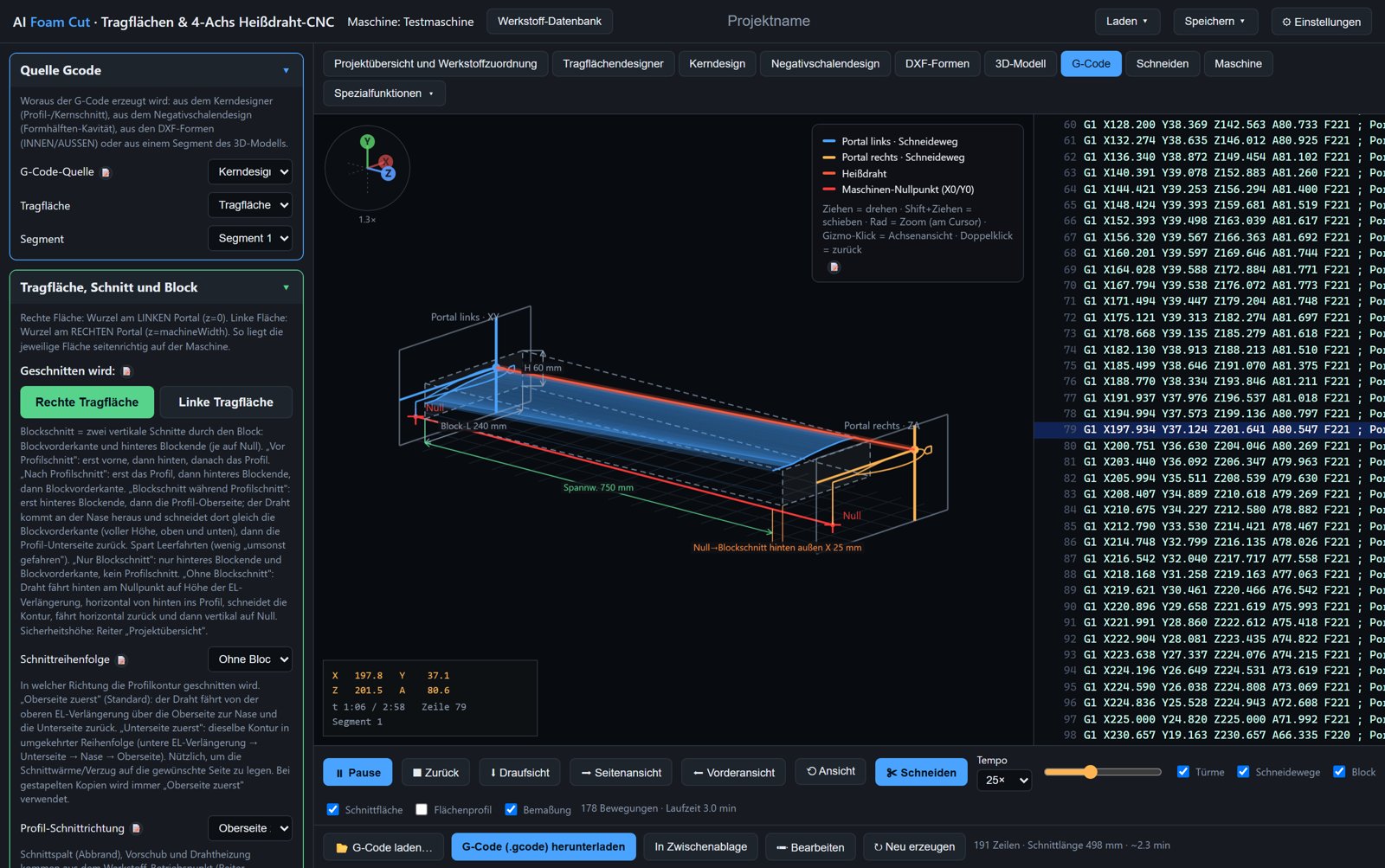
3D simulation of the cut in the G-code tab: both gantries, hot wire, block and cutting paths
G-code simulator: both gantries, hot wire and block in 3D, next to the generated G-code line by line. (Screenshots show the German user interface; the app itself can be switched to English in Settings.)

Wings

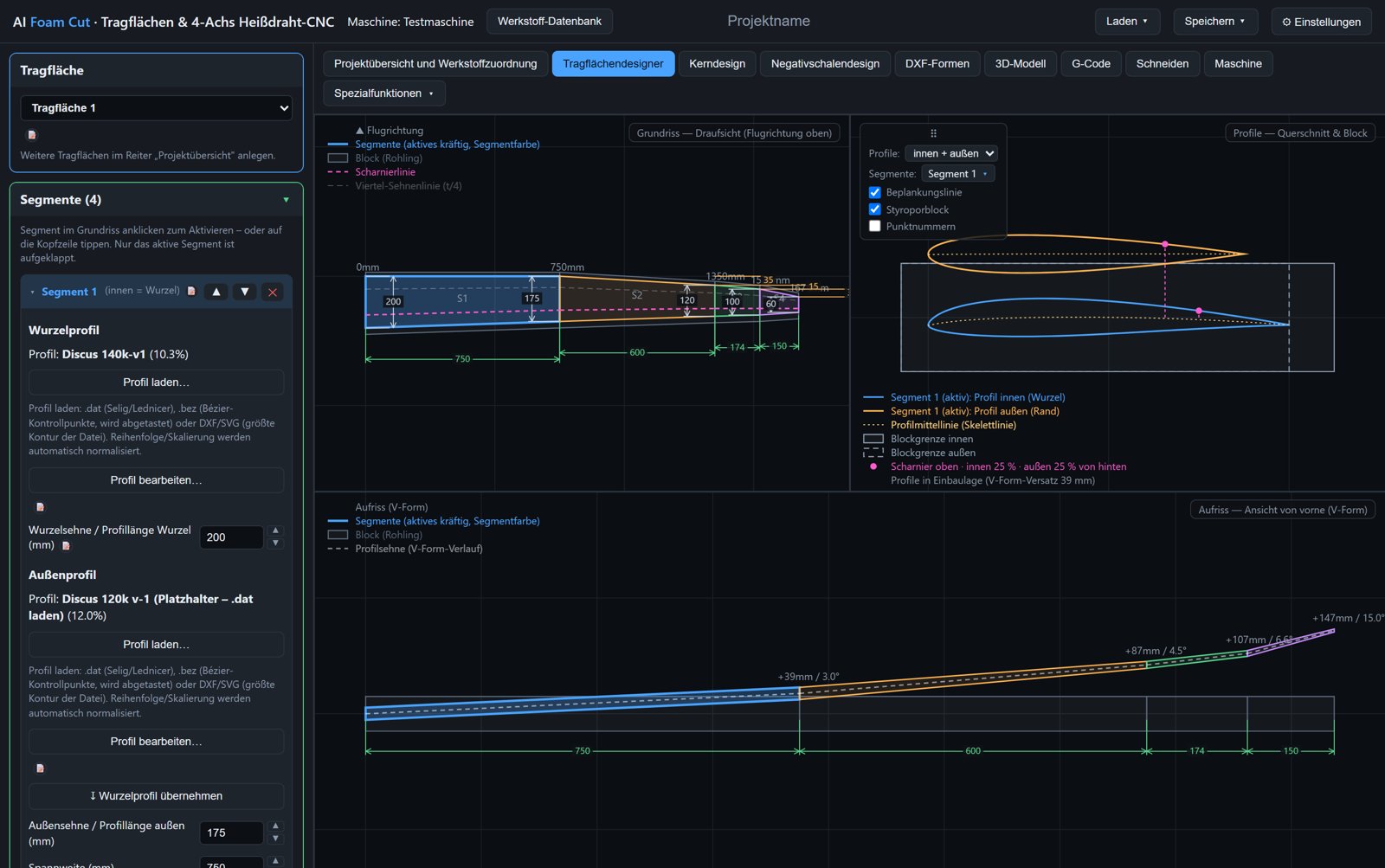
Every change in the design immediately affects drawing, cutting path and G-code.

Free contours and 3D models

Everything that is not a wing: fuselages, tail surfaces, formers, lettering, panels from CAD.

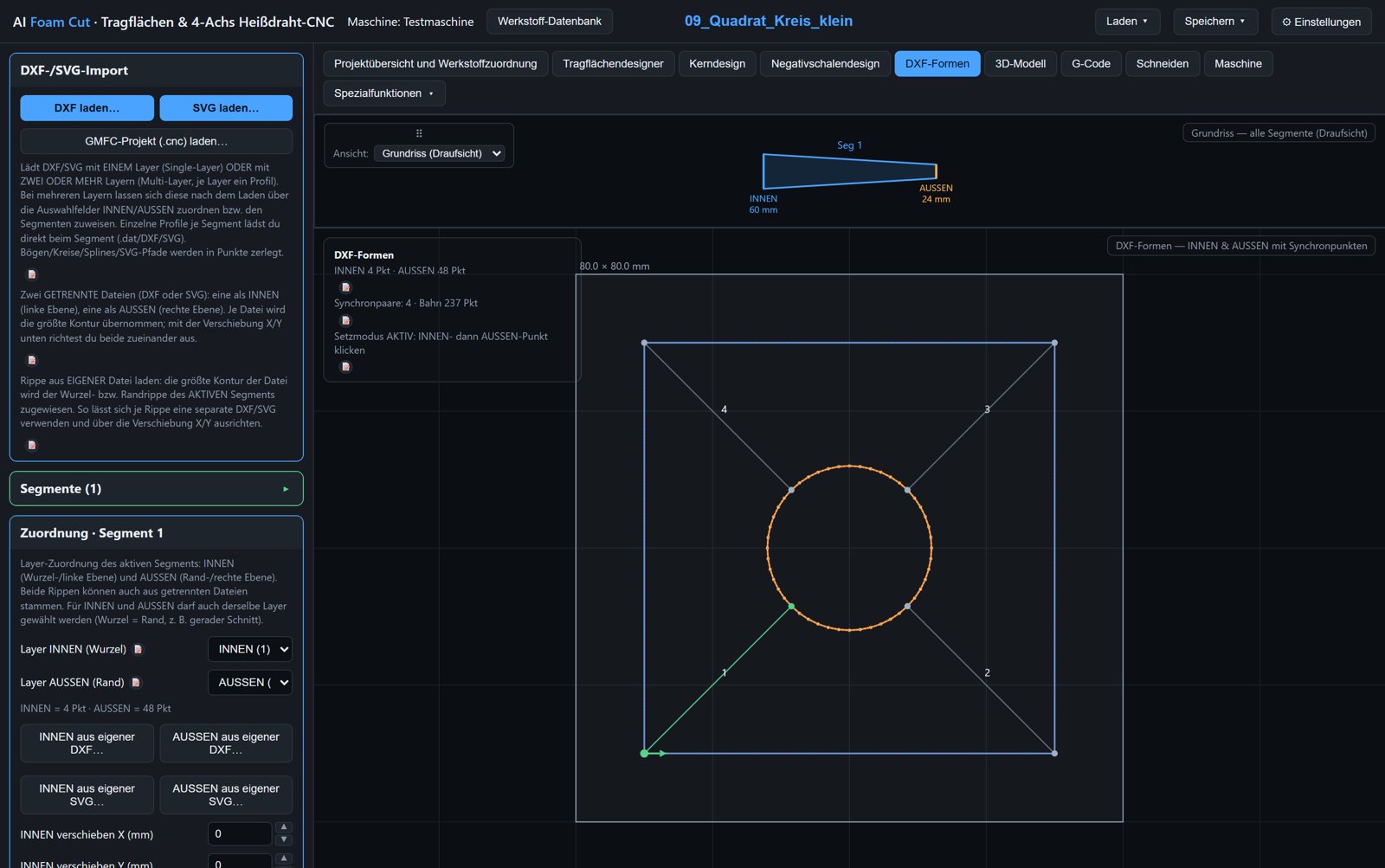
DXF shapes tab with rib chain in planform and INNER/OUTER contour with sync points

Via DXF shapes

  1. Load DXF or SVG; every layer is offered as a profile.
  2. Check the rib chain, assign layers per segment as INNER and OUTER and align them.
  3. Block geometry: segment width, block dimensions, minimum clearance.
  4. Set sync points when INNER and OUTER differ.
  5. Choose direction, kerf and safe lead-in/lead-out, then G-code and cut.

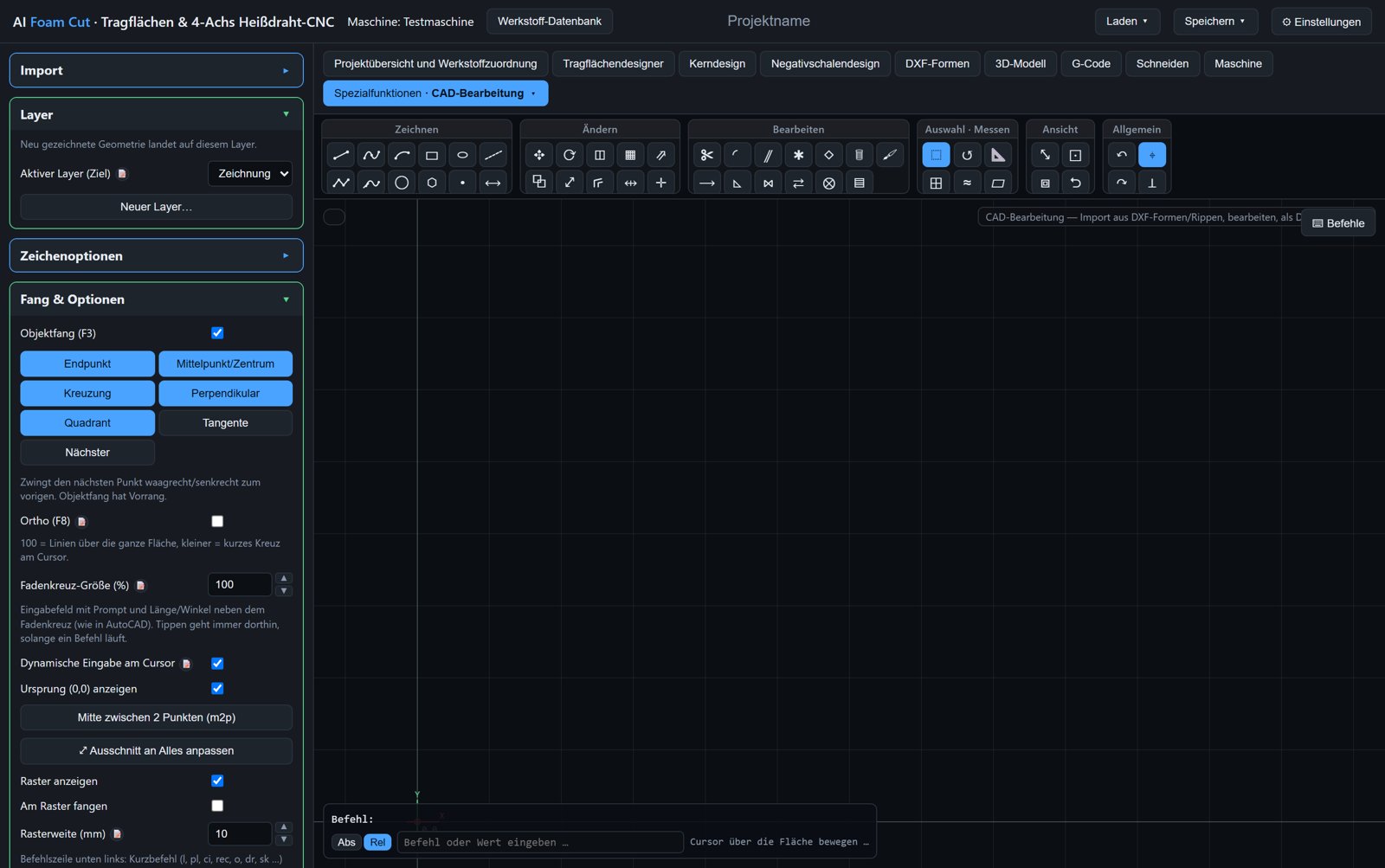
No DXF file? “Draw freely” opens the built-in CAD editor; the result goes straight back into DXF shapes.

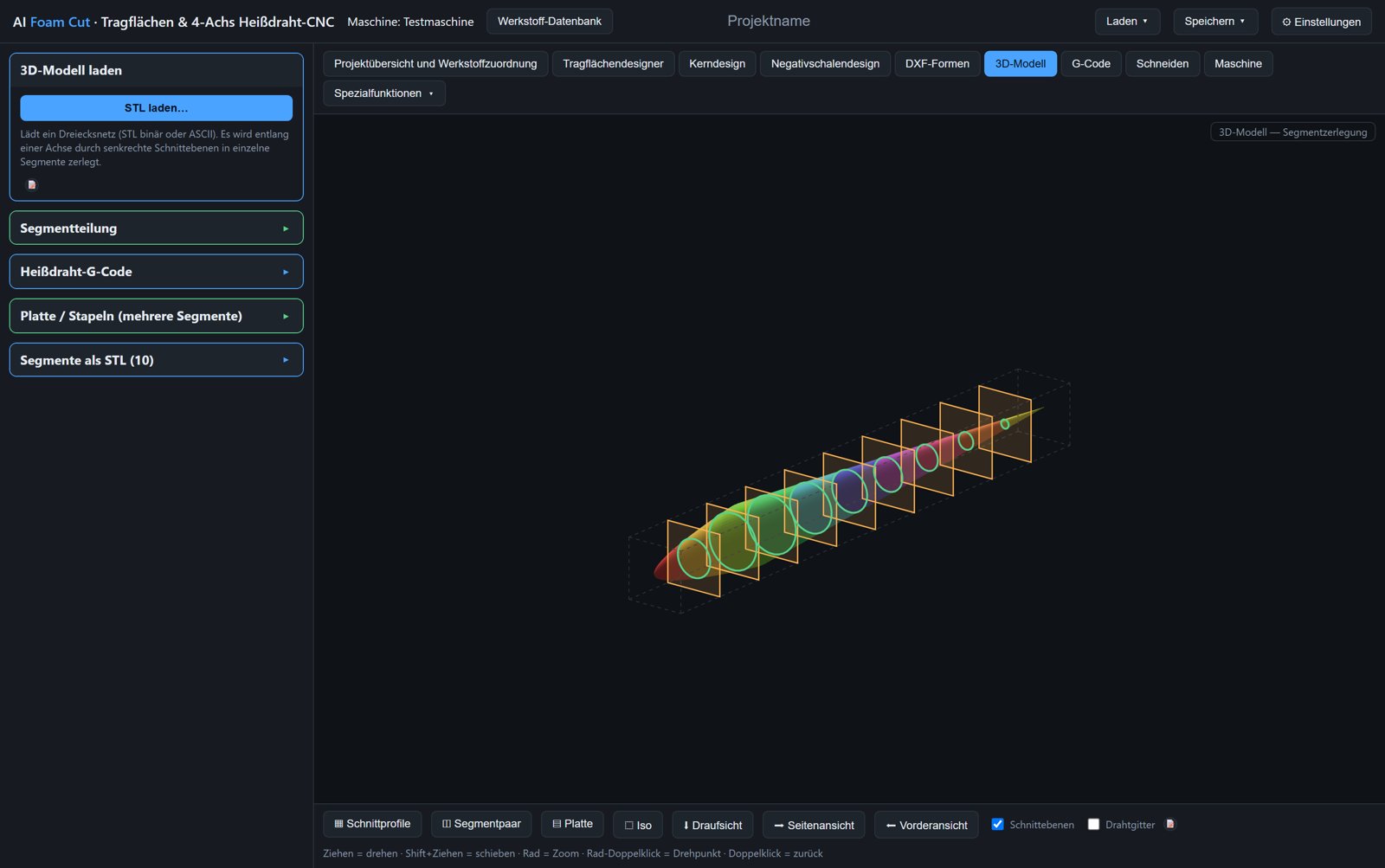
3D model tab: fuselage split into ten cross-sections with cutting planes

Via the 3D model

  1. Load an STL, OBJ or STEP model (separately exported segments can be assembled).
  2. Choose the cutting axis, distribute planes evenly or place them individually, split.
  3. Per cross-section set kerf, feed rate, lead-in point and direction; start point by clicking on the path.
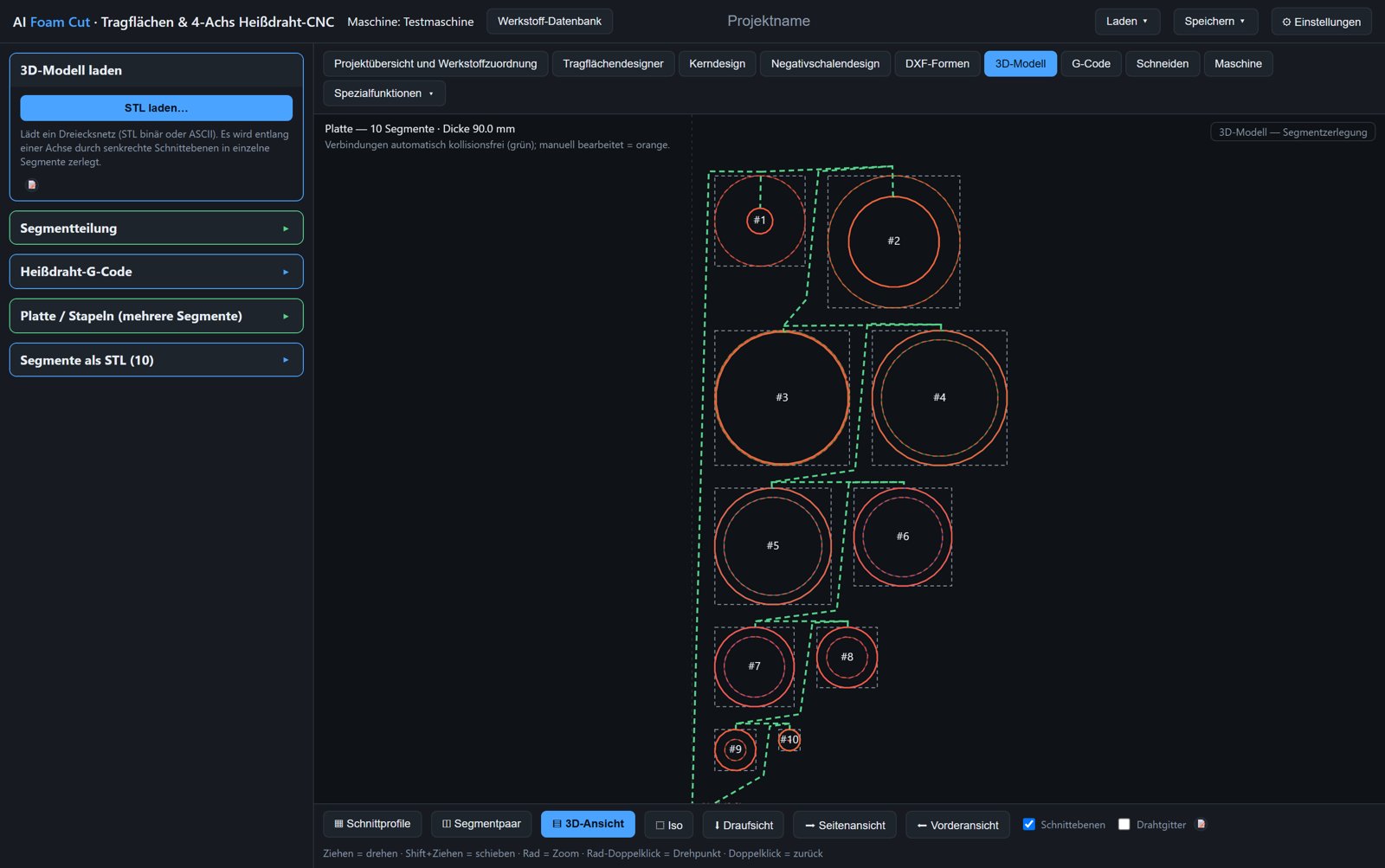
  4. Use as G-code source or nest several cross-sections of equal thickness as a plate from one block.
  5. Simulate, cut, glue the cross-sections together and sand.
Plate mode: ten cross-sections arranged collision-free on one plate
Plate mode. Several cross-sections of equal thickness are arranged automatically without collisions and cut in one program.

Wing tips, winglets and mould making

The same wing becomes a plug or a negative mould – as STL for 3D printing and CNC milling, as STEP for CAD.

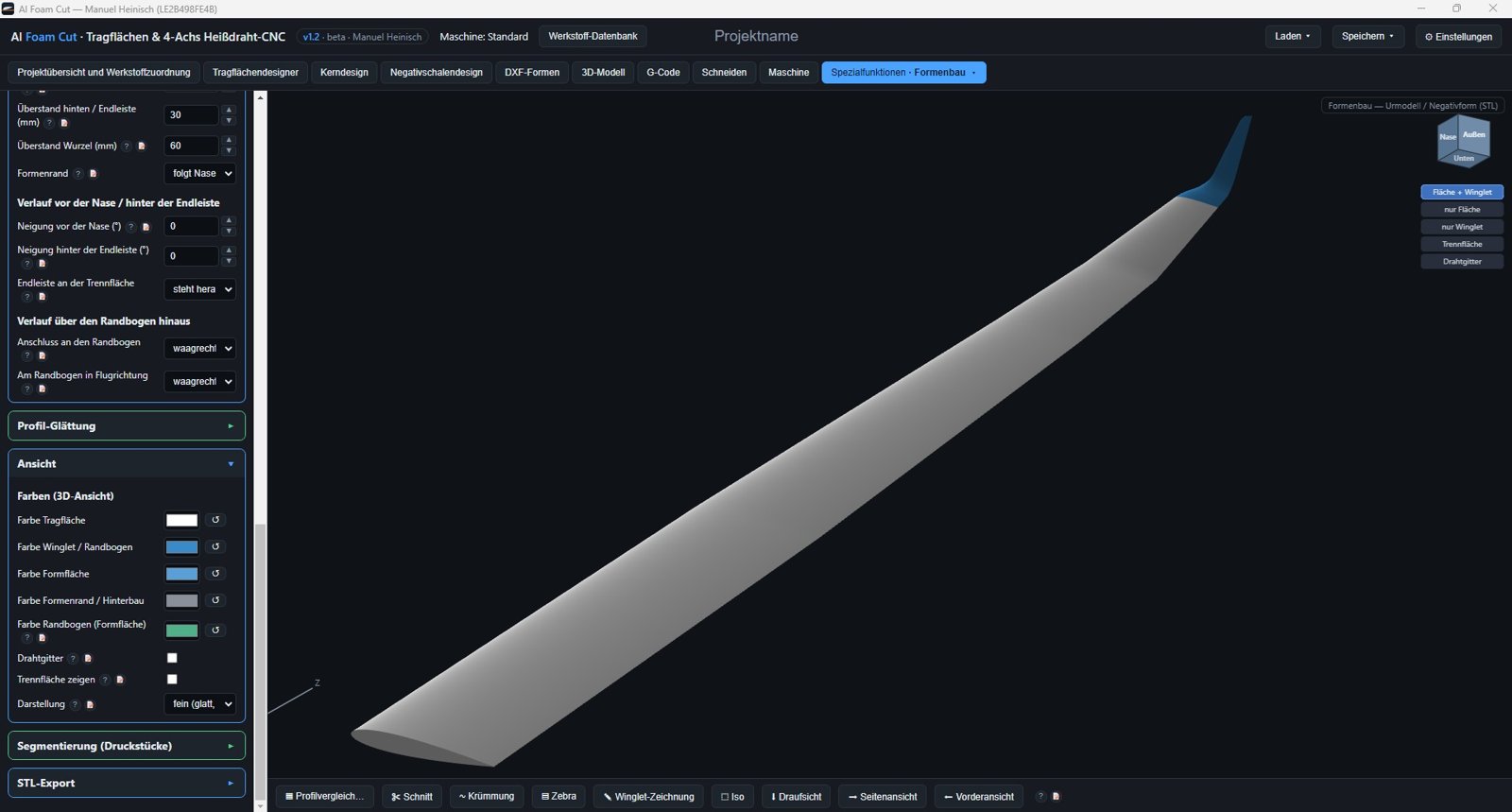
Mould making: wing plug with winglet and blended transition, winglet parameters alongside
Winglet on the plug. Transition radius, cant, sweep, toe-out and tip shape – visible in 3D immediately.

Wing tip and winglet

  1. Wing tip: leading and trailing edge lines run as superellipses to the reference point. Templates modelled on real sailplanes (elliptic, crescent, raked, upswept), then length, upsweep, washout and thickness distribution freely adjustable.
  2. Winglet with tangential transition arc: length, cant, sweep, toe-out, twist, own airfoils for root, middle and tip.
  3. Winglet from drawing: sketch the shape in the three-view editor, the software builds the transition.
  4. Export wing and tip or winglet separately, matched via joiner holes.
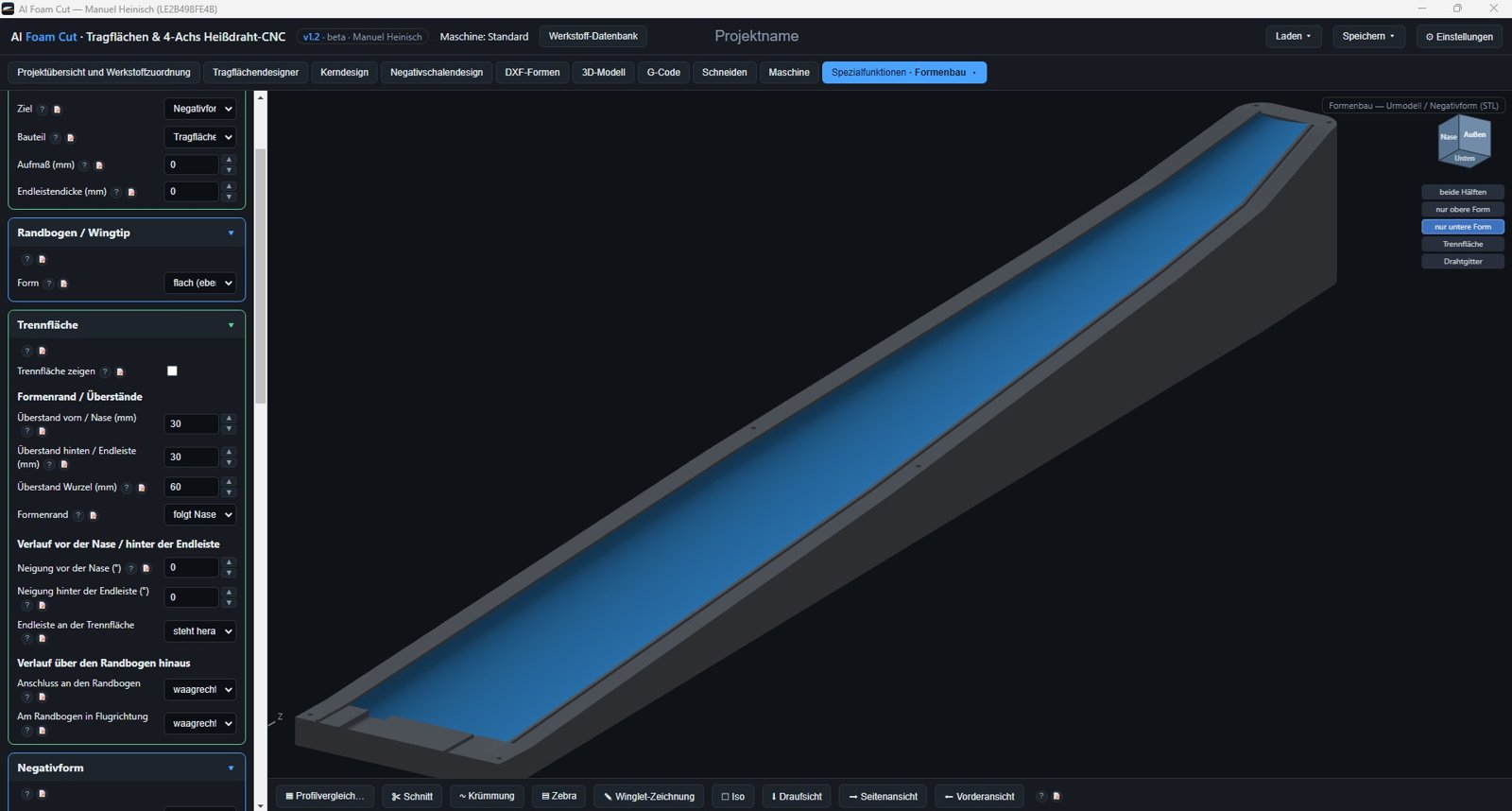
Mould making: lower half of the negative mould with cavity, flange, joiner recesses and resin groove
Negative mould, lower half. Cavity and flange with recesses for the joiner, resin groove and leading-edge bump.

Mould making

  1. Choose the target: plug (positive), split plug for moulding, or both negative mould halves.
  2. All ribs are smoothed as B-splines; allowance for paint/gelcoat and trailing-edge thickness adjustable globally.
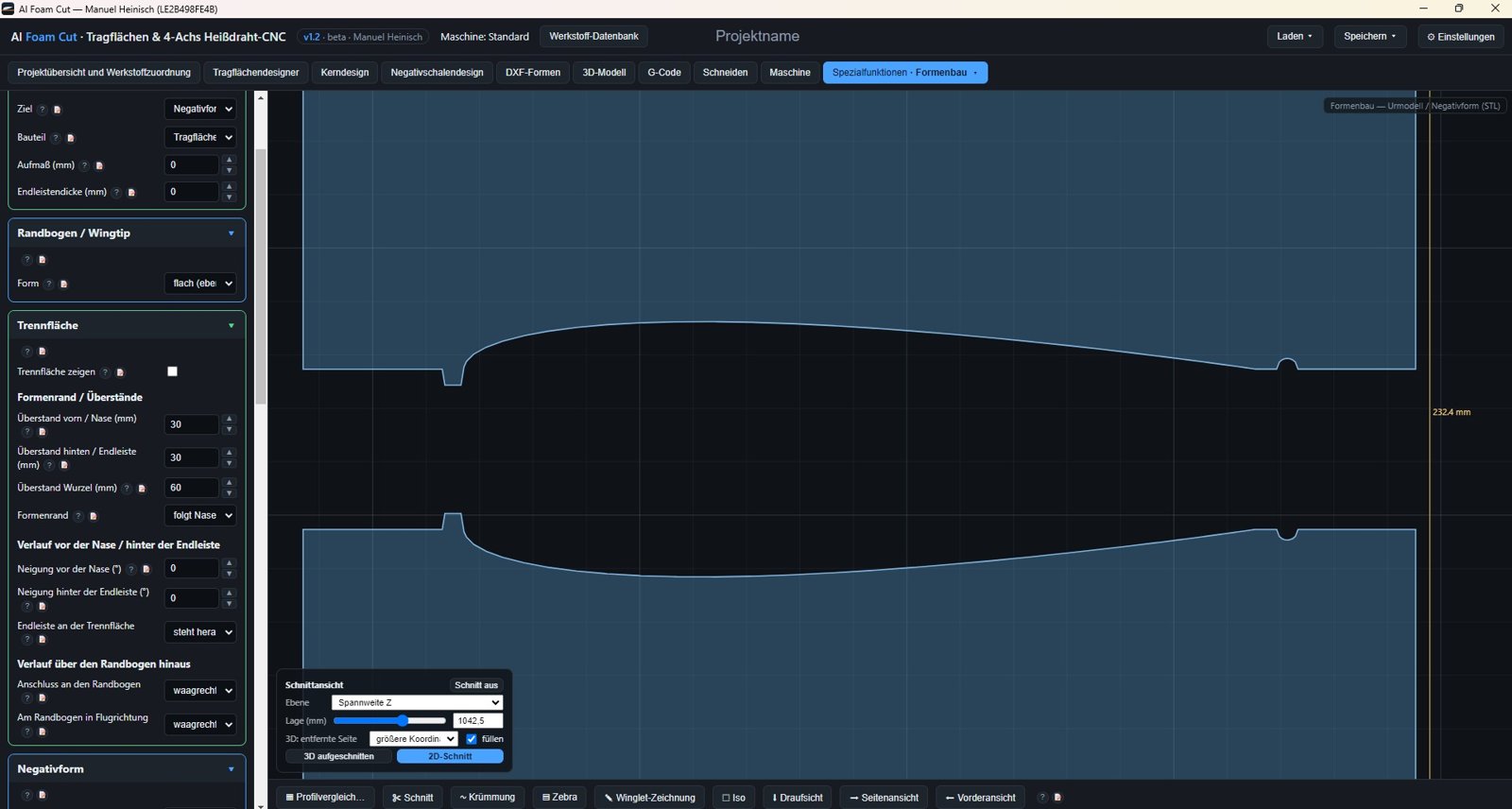
  3. Parting surface follows the chord surface; margins, dowel holes, joiner recesses and resin groove in the flange.
  4. Segment large moulds into printable pieces; curvature and zebra analysis for surface checks.
  5. Export as STL (Z up, ready to print and mill) or as STEP solid for Fusion, SolidWorks, FreeCAD.
Mould making: 2D section through both mould halves with airfoil, parting surface and margins
Section through the mould. Check both halves at any span position: airfoil, parting surface, margins, resin groove.

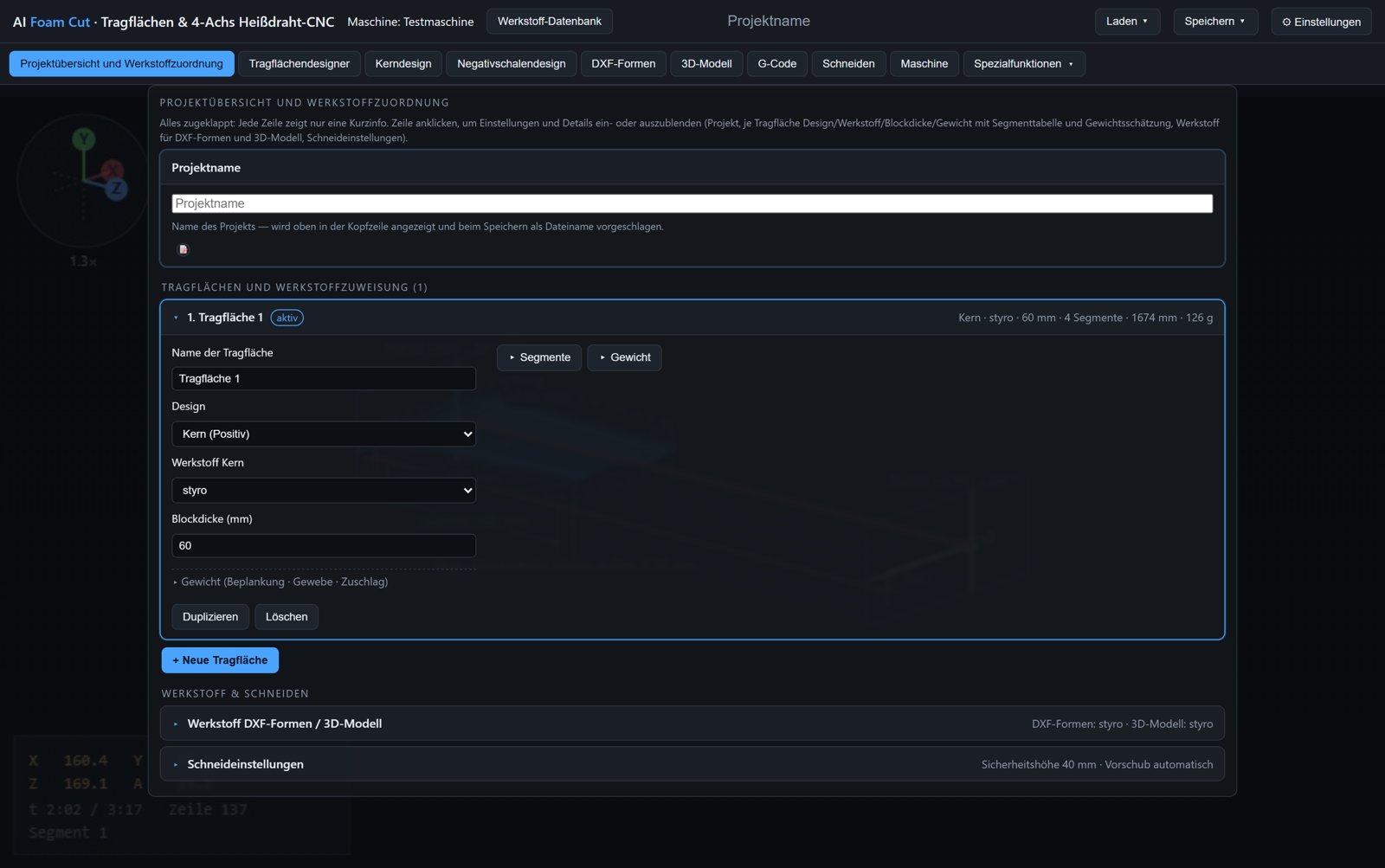
Project overview & material database

  • Create and name a project
  • Set the number of wings
  • Assign design (core/negative) and material to each wing
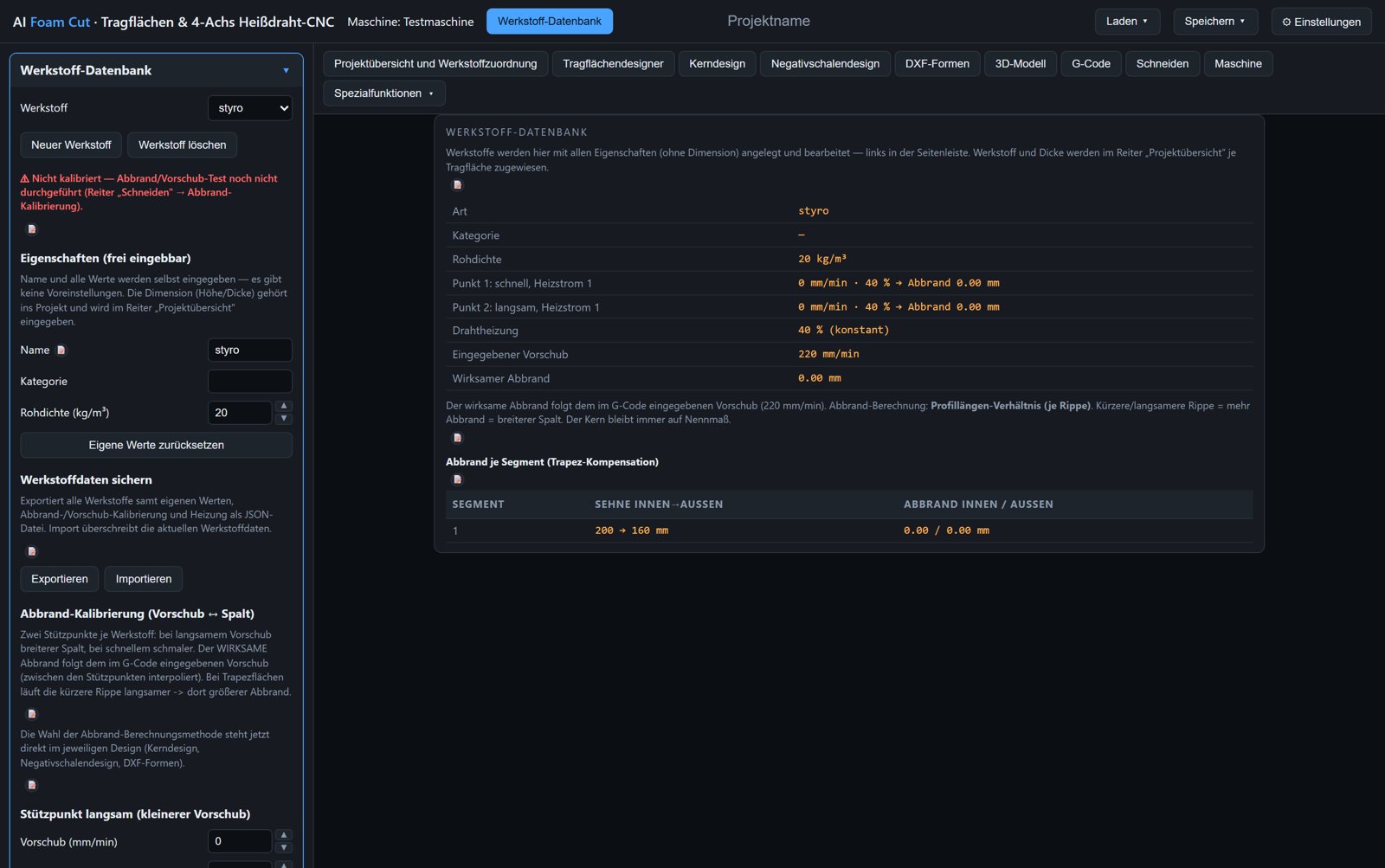
  • Create materials freely: name, density, category
  • Calibrate kerf and heating values per material
  • Export and import material data
  • Weight estimate per wing (core, sheeting, cloth, resin)

Wing design

  • Load airfoils as .dat, DXF or .bez
  • Any number of segments, chords, span
  • Sweep, washout, dihedral, hinge position
  • Global sweep: keep leading edge, trailing edge or hinge straight
  • Airfoil height alignment (highest point, hinge, chord)
  • Sheeting deduction
  • Many types of spar and hinge cut-outs
  • Several wings per project

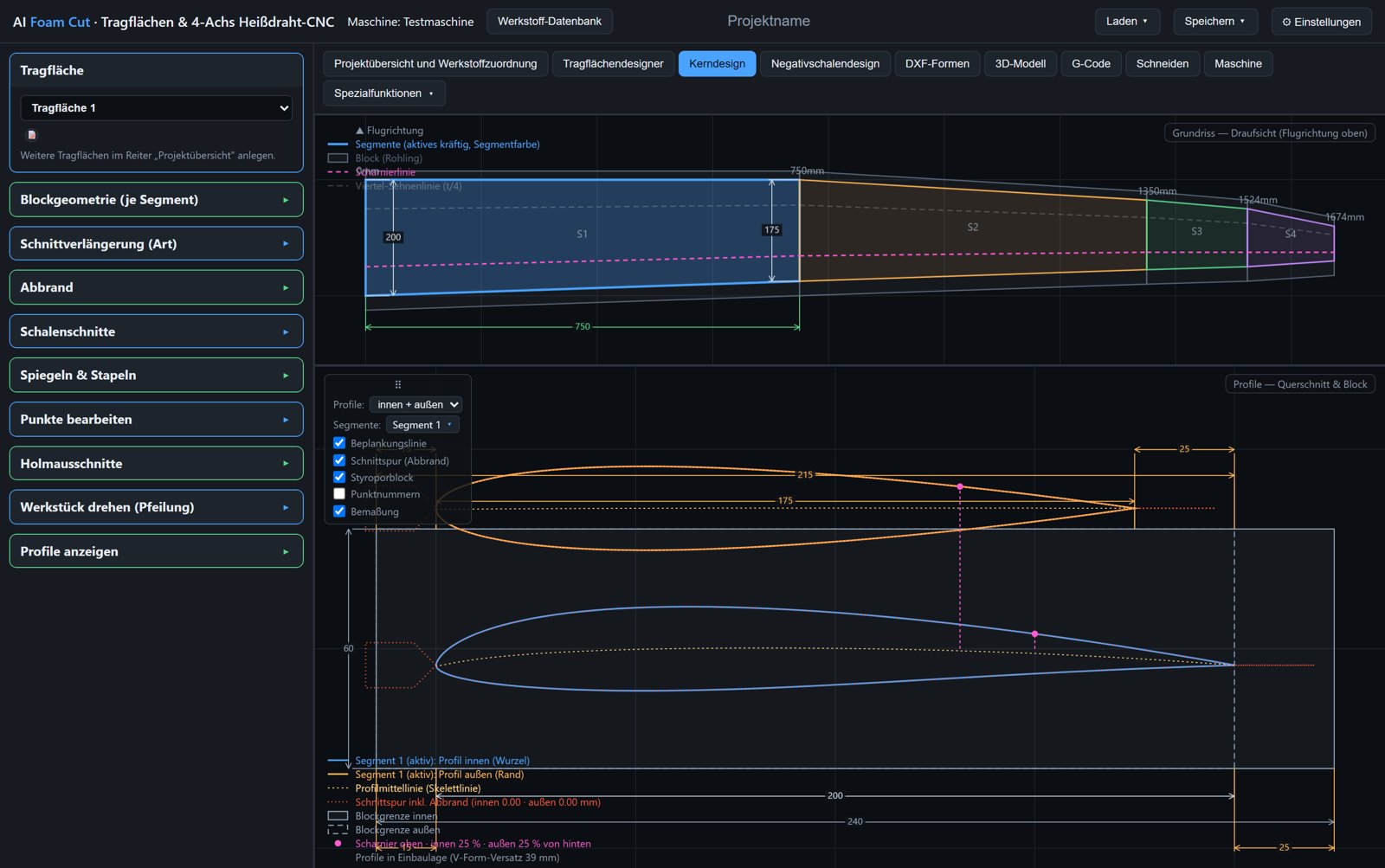
Core design

  • Block allowances and cut extensions per segment
  • Kerf compensation, selectable on upper/lower shell
  • Rotate workpiece (sweep) for an angled block position
  • Mirror and stack cores
  • Edit individual points

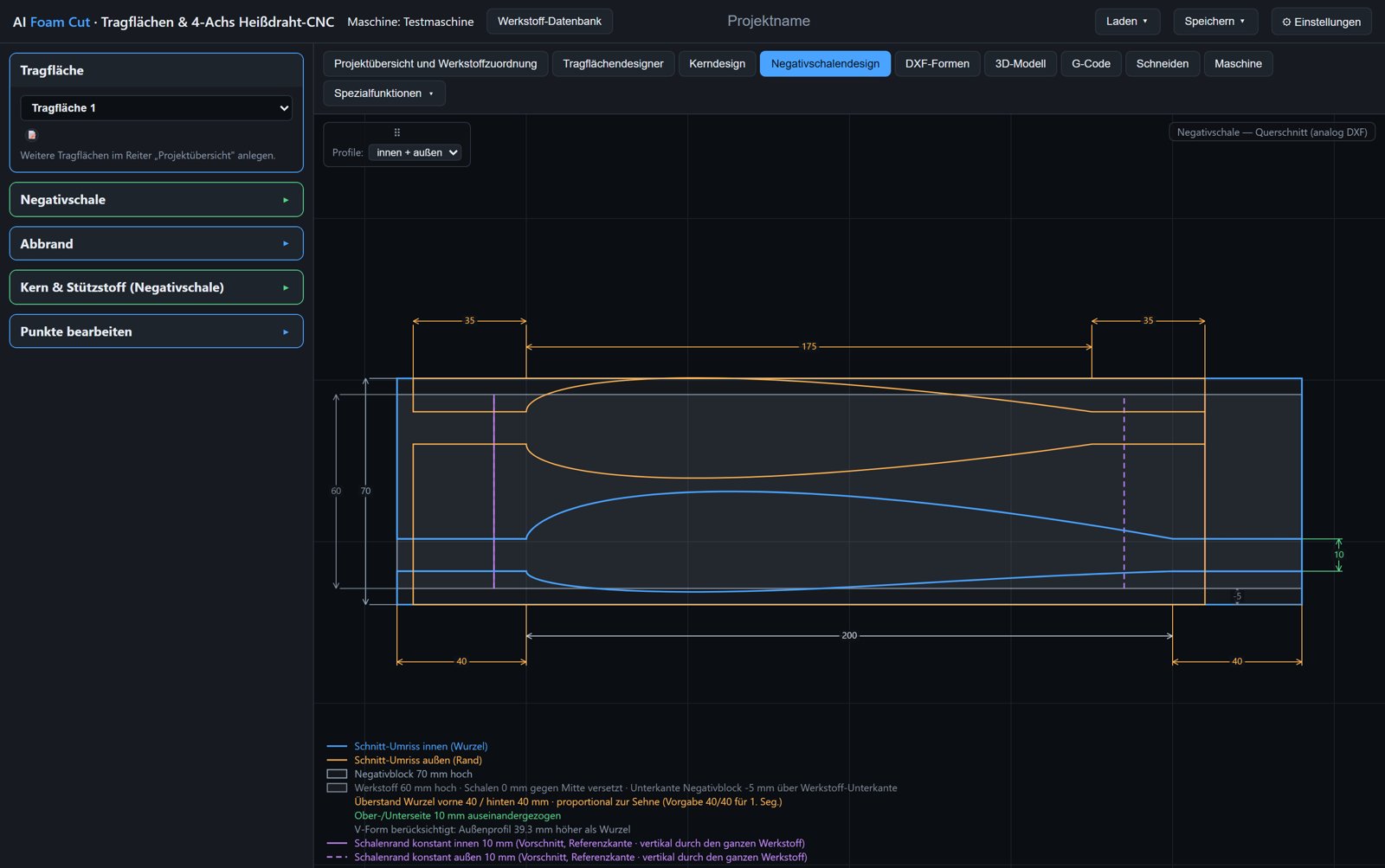
Negative-shell design

  • Mould halves
  • Core and support material in the same cut
  • Split the core into individual webs (glass sleeve, spar cap, web spacing)
  • Edit individual points

DXF shapes

  • Any contours from DXF or SVG
  • Assign layers freely to INNER and OUTER
  • Sync points for differing cross-sections
  • Draw freely in the CAD editor
  • Export and import GMFC projects (.cnc)

3D model

  • Load an STL, OBJ or STEP model; assemble segments into one model
  • Split into cross-sections, choose cutting axis and planes freely
  • Hot-wire G-code per cross-section
  • Plate mode: nest several cross-sections of equal thickness from one block
  • Move cross-sections and edit connecting paths

Mould making

  • Plug or both negative mould halves as STL
  • For 3D printing and CNC milling
  • Smoothed airfoils, adjustable wing tip and winglet
  • Parting surface and dowel holes
  • Segmentation into printable pieces
  • Split into parts with spigots at the joints

Rib designer

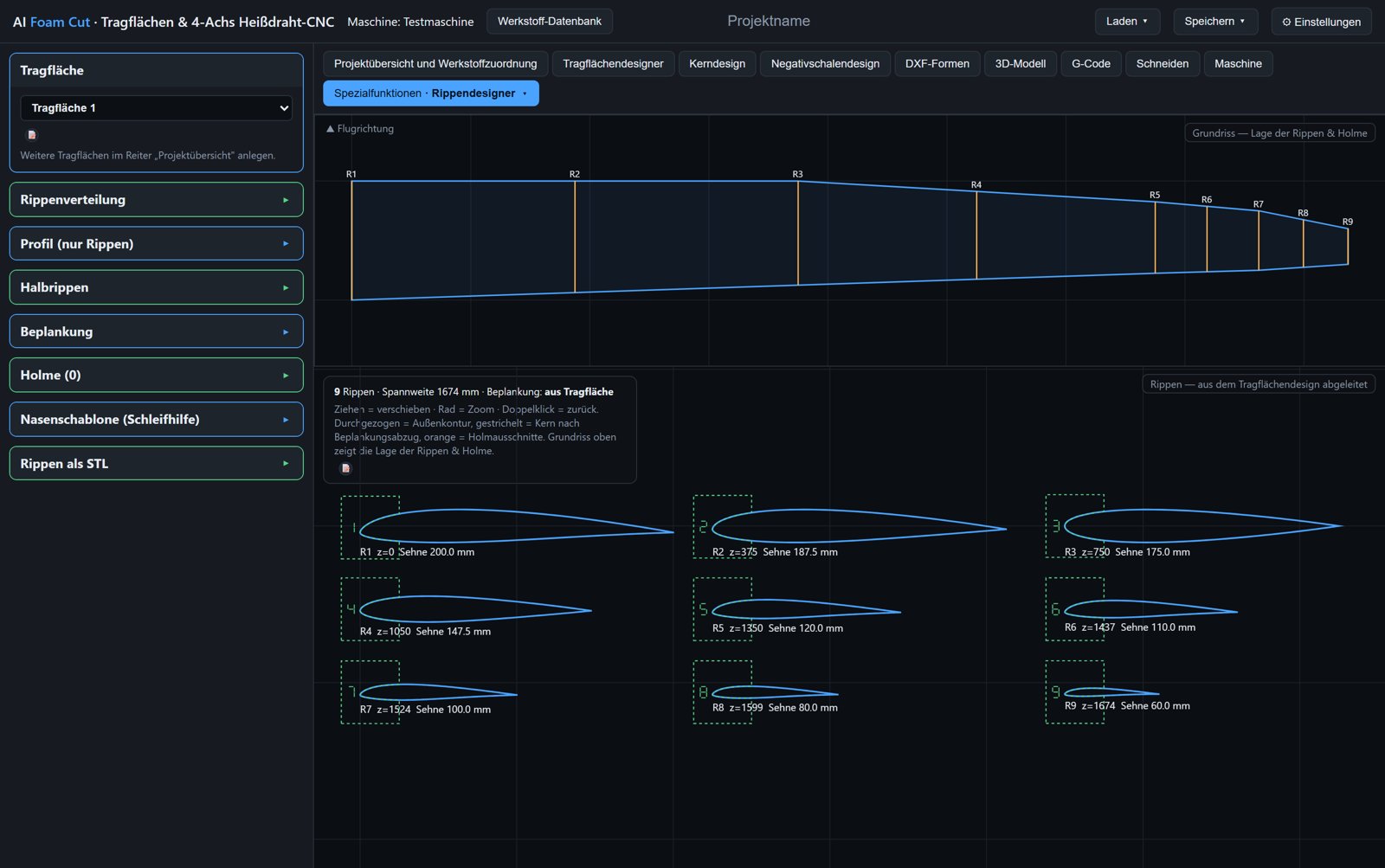
  • Ribs and half ribs from the wing
  • Sheeting and spars taken into account
  • Leading-edge templates as sanding aids
  • Export as STL or DXF

CAD editing

  • Built-in 2D CAD editor
  • Background image as template
  • Import from all designs
  • Send the result to DXF shapes

Machine

  • Machine control via Web Serial (grblHAL, Mega 5X)
  • Jogging, homing, wire heating
  • $$ settings editor for the controller
  • Adjust feed rate and wire heat during the cut, 3D monitor follows along (experimental)

Requirements

A Windows PC for the ready-made .exe files, plus ready-made builds for Linux (x64) and macOS (Apple Silicon/Intel) that are not yet sufficiently tested; from source it runs anywhere with Python 3.11 or newer. The interface runs in a browser (Chrome or Edge) – or in its own window if you pick the windowed build, which ships its own display engine. The machine connection uses Web Serial.

Controllers

grblHAL with four axes (e.g. BTT SKR Pico) or Mega 5X (GRBL HotWire Mega 5X). Axis names freely configurable. Matching information and firmware for the boards are available from RC Keith.

File formats

Airfoils .dat, DXF, SVG · Models STL, OBJ, 3MF · Export G-code, DXF, STL, GMFC .cnc · Projects as JSON.

Operation

Starts as a single .exe – in your browser or in its own window – or straight from source with python launcher.py. No installation, no internet connection, no registration. Data stays on your own computer.

Open source

AI Foam Cut is released in full under the GNU General Public License, version 3 or later. The source code is open, the program stays free, and nobody has to rely on a one-person project being maintained forever.

What this means for you

  • Use, copy and pass it on – privately and commercially, at no cost
  • No licence key, no activation, no trial period, no registration
  • Every feature is included – G-code generation and machine control too
  • Nothing is reported back: no telemetry, no usage statistics, no update check
  • The generated G-code carries no personal watermark

Build and modify it

  • A plain web application with a small Python server, no build step required
  • Ready to run with python launcher.py (Python 3.11 or newer)
  • Build your own .exe with build_tool.py (browser build) or build_tool_electron.py (windowed build)
  • features.json lets you tailor which features your own build contains
  • You may pass on your changes – openly, under the GPL again

Contributing

  • Bug reports and suggestions on GitHub or by e-mail
  • For a bug, the project file that triggers it helps enormously
  • Feedback from the workshop is as valuable as code
  • Translations, manual, airfoil data: contributions need not be code
  • Contributed code is licensed under GPL-3.0-or-later as well

The licences of the bundled third-party components are listed in THIRD_PARTY_LICENSES.md in the source tree.

Download

Ready-made files for Windows, Linux and macOS, or the source code – the feature set is the same in all of them. The two ready-made Windows builds differ only in where the program is displayed.

Windows build for your browser

A single .exe, no installation, no internet connection needed. It starts a local server and opens the program in your browser (Chrome or Edge). A small download, because it uses the browser already on your machine.

Version 1.96 · about 16 MB · Windows PC

Download the .exe

Windows build with its own window

The same program as a standalone application: its own window, its own taskbar entry, no browser needed. It ships its own display engine, so it is independent of your browser settings and updates. In exchange the download is considerably larger.

Version 1.96 · about 79 MB · Windows PC

Download the .exe

Which one? If in doubt, take the browser build: it is much smaller and has been the usual edition from the start. The windowed build is worth it if you would rather use the program like a normal Windows application, or do not want Chrome or Edge on your machine. Both produce the same G-code and read the same project files – you can switch at any time.

Windows 7 / 32-bit not yet sufficiently tested

The windowed build for older computers: runs on Windows 7 SP1 and later and on 32-bit Windows. Same features, just with an older display engine (Electron 22), because newer versions no longer support Windows 7. On Windows 10/11, take one of the two builds above instead.

This build has only briefly run on a real Windows 7 machine so far. Please check everything in the simulation before the first cut and report problems on GitHub.

Version 1.96 · about 63 MB · Windows 7 SP1 or later, 32 and 64-bit

Download the .exe

Linux version not yet sufficiently tested

For Linux (x64) as its own window (AppImage) or as the browser variant. After downloading, make it executable with chmod +x. The AppImage needs libfuse2 (Ubuntu 24.04 and later: libfuse2t64), the browser variant a current distribution (glibc 2.43, e.g. Ubuntu 26.04). For the machine: sudo usermod -aG dialout $USER.

So far this build has only run briefly on a test system. Please check everything in the simulation before the first cut and report problems on GitHub.

Version 1.96 · AppImage about 113 MB · browser variant about 18 MB

macOS version not yet sufficiently tested

Its own program window as an .app in a zip, for Apple Silicon (M1 and later) or Intel Macs. The app is not signed: before the first start, run xattr -cr "/path/to/AI Foam Cut v1.96.app" once in the Terminal (instructions are in the zip).

This build has not yet been sufficiently tested on a real Mac. Please check everything in the simulation before the first cut and report problems on GitHub.

Version 1.96 · about 100 MB

Source code (GPL-3.0)

The whole project on GitHub: read it, clone it, change it, build your own .exe. With Python 3.11 or newer it also runs on Linux and macOS.

git clone https://github.com/aifoamcut/ai-foam-cut.git

Go to the repository

All buttons lead to GitHub; the files are not hosted on this website. No GitHub account is required. In doing so, GitHub (GitHub B.V. / GitHub, Inc.) receives the usual connection data such as your IP address – see the privacy policy.

Windows may warn about a new, unsigned .exe (“SmartScreen”). This free project does not buy a paid code-signing certificate. If you would rather not trust the files, build them yourself from source with python build_tool.py or python build_tool_electron.py.

Note: AI Foam Cut is a one-person project, developed with AI assistance. The software is not certified and carries no declaration of conformity for machine operation. It is under active development and comes with absolutely no warranty – downloading and running it is at your own risk; no liability is accepted, as far as legally permissible, for damage to your computer, operating system, data or machine (sections 15–17 of the GPL-3.0). A reachable emergency stop is a prerequisite, and every program belongs in the simulation before cutting. The disclaimer applies.
Contact

Questions, bug reports or feedback from the workshop: just send me an e-mail. Bugs and wishes are equally welcome as an issue on GitHub.

ai.foam.cut@gmail.com

For a bug please mention briefly which machine/controller you are using – and attach the project file if you can.